
Appearance
Install D5 Lite and create your first render
Render a still image from an existing SketchUp, Rhino, or Revit model. Check the system requirements before installing D5 Lite.
1. Install
Use the D5 Launcher to install and update D5 Lite. If you don't have the Launcher, get it from the official download page.
- Open the D5 Launcher and go to the Lite page.
- Select your modeling software and install the matching D5 Lite plugin. If prompted, close the modeling software before continuing the installation.

2. Sign in
Sign in to your D5 account in the D5 Launcher. D5 Lite and D5 Render share the same account and plan benefits.
3. Open D5 Lite
Open the model you want to render in your modeling software, then start Lite:
SketchUp: On the D5 toolbar, click Connect to D5 Lite.
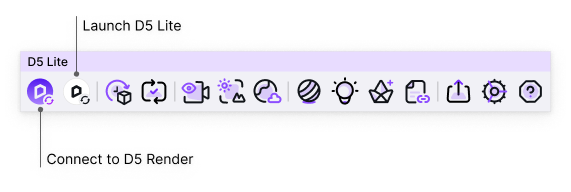
Rhino: Run
D5LiteStartor click the Lite launch button on the D5 toolbar.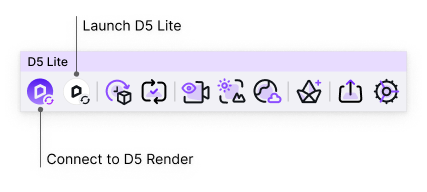
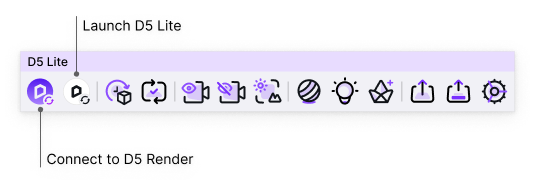
Revit: On the D5 Lite tab, click Connect to D5 Lite. If you're in a floor plan or another non-3D view, Lite switches to a usable 3D view when it starts. If it can't switch, open a 3D view in Revit and try again.
First-launch guide
On first launch, follow the guide for your modeling software to learn the main interface and basic controls.
The SketchUp and Rhino guides let you choose D5 Default or Enscape Habits. See the camera controls for SketchUp or Rhino for the mouse controls and vertical movement in each preset.
4. Create your first render
- Check that your model appears in the Lite viewport, then frame the view you want to render. See the camera controls for SketchUp, Rhino, or Revit. If your changes aren't appearing in Lite, check Live Sync.
- Click the sliders icon in the lower-right corner of the Lite window to open the output settings. Under Output Type, choose Image.
- Click Render. Choose a folder and file name, then confirm to start rendering.
- When rendering finishes, open the output folder and check the saved image.
Next, try adjusting the sky and lighting or explore image quality, screenshots, and panoramas. For animation or more rendering controls, connect to D5 Render.